Preview every change
See current and new filenames before Manifest touches anything.
CSV file renaming for macOS
Drop your files and naming CSV, preview every new name, then process the entire batch safely.
Built for macOS 26 and later. Free to start, with an optional one-time Pro upgrade.
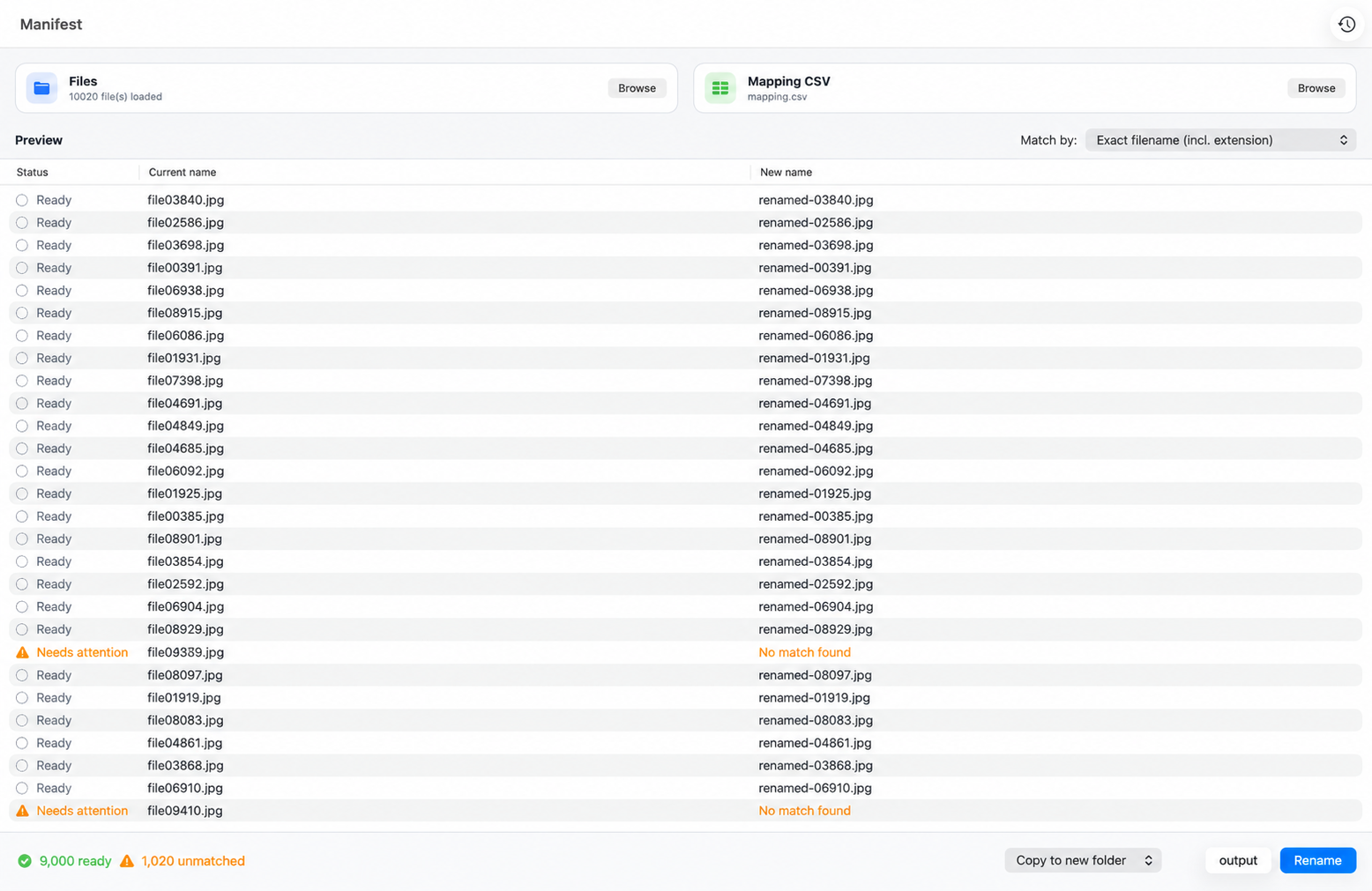
Tap the preview to open it full size.
How it works
Drop individual files or an entire folder into Manifest.
Use two columns containing each current filename and its new name.
Review every match, resolve warnings, then copy or rename the batch.
Safe by design
Manifest puts review and control before every file operation.
See current and new filenames before Manifest touches anything.
Create renamed copies in a new folder while keeping the originals untouched.
Conflicts, duplicate names, invalid names, and unmatched files are clearly identified and skipped.
Review completed operations and reverse eligible changes with file identity protection.
Built for real work
For photographers matching shoots to client lists, researchers applying sample IDs, agencies standardizing asset names, and teams organizing large file archives.
Manifest Pro
A one-time in-app purchase unlocks unlimited batches, rename-in-place mode, and per-file Undo.
FAQ
A two-column CSV: the current filename in the first column and its new filename in the second.
No. Conflicting and duplicate names are surfaced before processing and skipped instead of being silently overwritten.
Yes. Copy to a new folder is the default mode, so your source files remain untouched.
Manifest keeps an operation history. Eligible changes can be safely reversed, with per-file Undo available in Manifest Pro.
No. File processing happens locally on your Mac; your files and CSV are not uploaded.
Manifest is built for macOS 26 and later.